

Use a tag in the Studiowide Marketing Automation & CRM system when a contact belongs to a group or has reached a stage, such as Requested a demo. Use a custom field when you need an answer or value, such as Interested product or Service region.
Choose what to record
- Tag. Use a shared label that several contacts can carry. For example, apply Demo requested to people you want to find again when planning a demonstration.
- Custom field. Use a value that can vary from person to person. For example, store Replacement parts in the Product interest field so colleagues can see what the contact asked about.
- Note. Record the context behind the value, such as a model number mentioned in a call or what a colleague promised to do.
Apply a tag and update a field on a contact
- Open the contact from Contacts. Check the existing tags and field values before adding anything.
- In Tags, select the +, then search for and select the tag your team already uses. Check whether the tag starts a live flow if you’re unsure what it does. Select Save in the Tags panel to apply it.
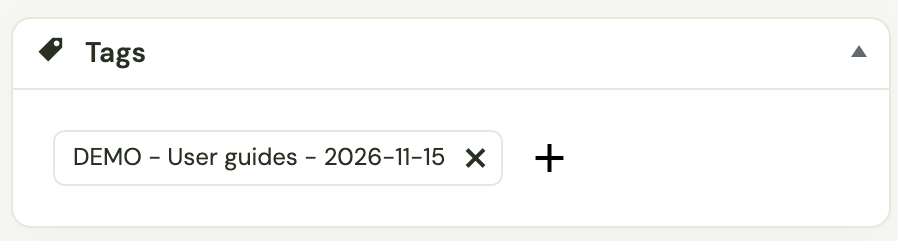
Use the plus button beside the contact’s existing tags to open the tag picker. 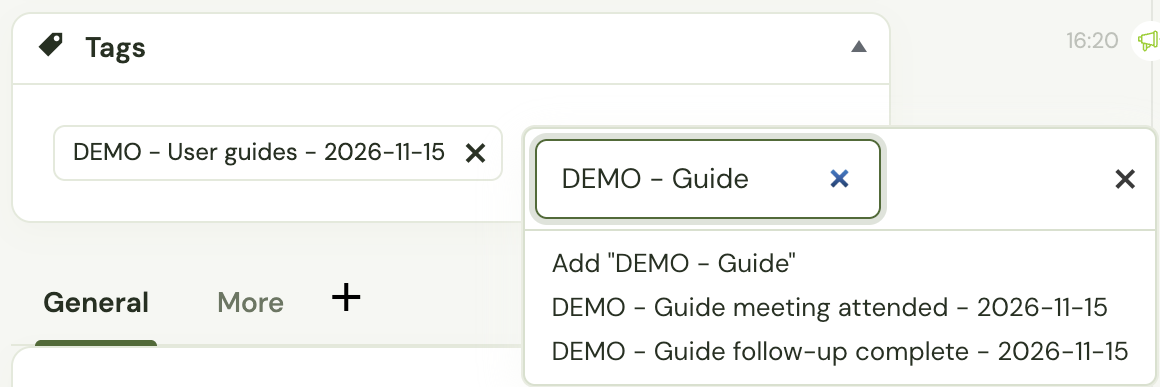
Search for the existing tag and choose it from the results. Select Save in the Tags panel to apply it. - Open the tab your team uses for the custom field. In the demo workspace, choose More and scroll to Meta, where the field key is on the left and its value is on the right. Edit the value or select an available option. Match the wording your team uses in filters and select Save Changes.
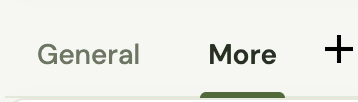
On the demo contact, choose More and scroll to Meta to find the field keys and their values. 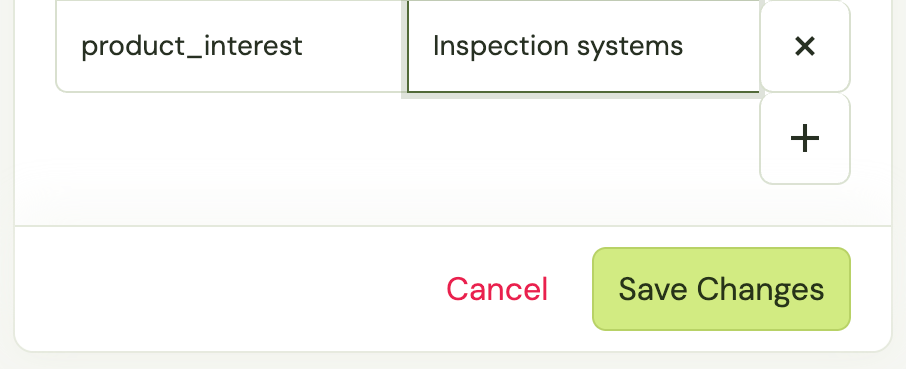
The demo uses product_interest as the field key and Inspection systems as the value. Select Save Changes to keep an edit. - Reopen the record and confirm the right tag and field value. When using either to build an audience, check that the filter includes this contact and leaves out someone with a different value.
A choice on a website form may appear in the enquiry’s submitted details. Check that the value is also present in the contact field before using that field for searches or routing.
Example of recording a demo enquiry
If the stored values do not produce the expected audience, check why a contact is missing from an email campaign audience. If they affect sales assignment, follow why an enquiry went to the wrong salesperson to compare the recorded fields with the routing conditions.
A buyer requests a demo of a new inspection system. The coordinator uses the team’s Demo requested tag and sets Product interest to Inspection systems. Later, marketing can find demo requests for that product, while sales can see why this particular buyer got in touch. If the product interest changes, the team updates the field and keeps the conversation history in notes.